Record a single expense
Exact WhatsApp message
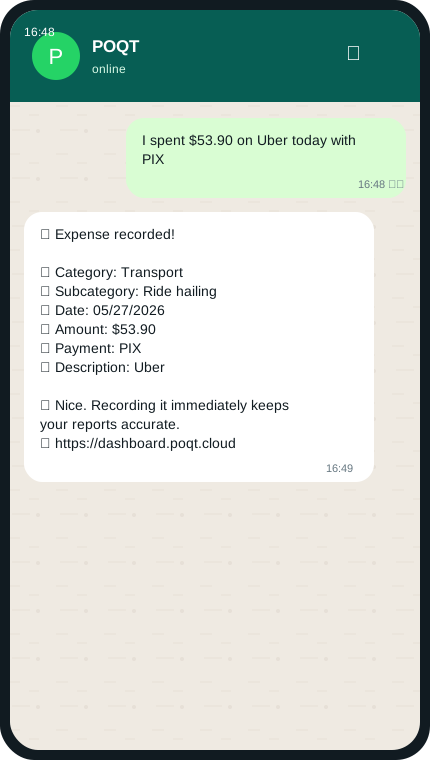
I spent $53.90 on Uber today with PIX
What POQT does next
Send amount + description. POQT infers category, subcategory, date, and payment method.
A guided, real-message walkthrough of the most useful things you can ask POQT to do directly inside WhatsApp.
POQT
I spent $53.90 on Uber today with PIX
Send amount + description. POQT infers category, subcategory, date, and payment method.
POQT works like a normal WhatsApp chat. Send one clear message and it turns your words into organized financial actions.
Open WhatsApp and start a chat with POQT.
Type naturally: an expense, a budget, a question, or a reminder.
Let POQT save it, answer it, or ask a follow-up when more detail is needed.
24 tutorials
3 tutorials
I spent $53.90 on Uber today with PIX
Send amount + description. POQT infers category, subcategory, date, and payment method.
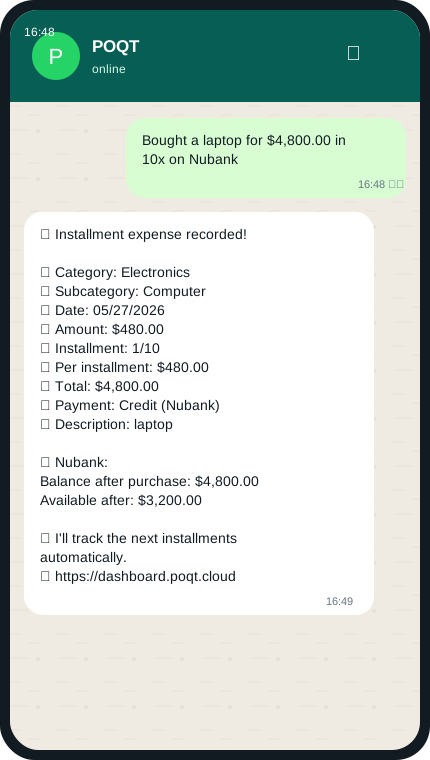
Bought a laptop for $4,800.00 in 10x on Nubank
Mention total value + number of installments. POQT creates the installment plan once.
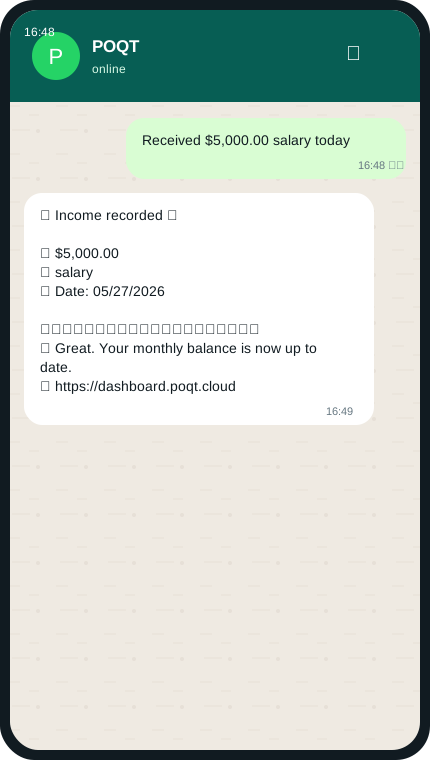
Received $5,000.00 salary today
Send amount and source. POQT records income and formats a concise confirmation.
3 tutorials
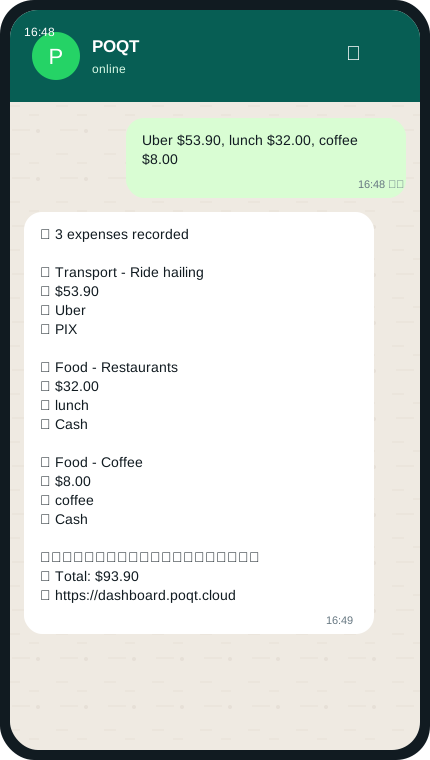
Uber $53.90, lunch $32.00, coffee $8.00
Put several amount + description pairs in one message. POQT creates each expense and totals them.
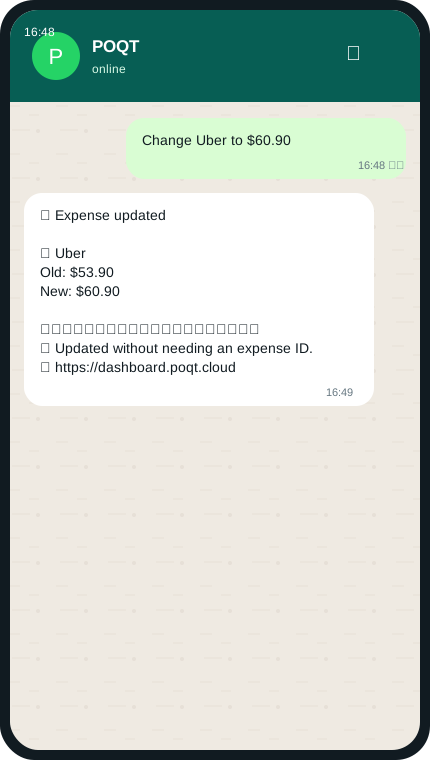
Change Uber to $60.90
Name the expense and the new value. POQT uses fuzzy matching instead of requiring an ID.
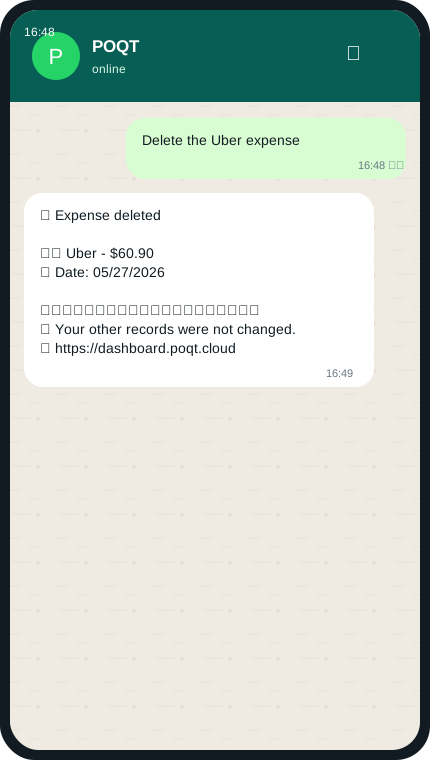
Delete the Uber expense
Reference the expense by name. POQT resolves the matching item and confirms deletion.
5 tutorials
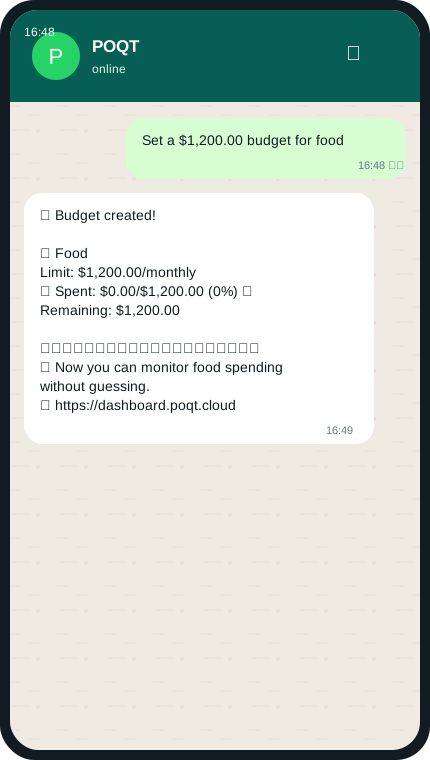
Set a $1,200.00 budget for food
Send category + limit. POQT creates the budget immediately and shows utilization.
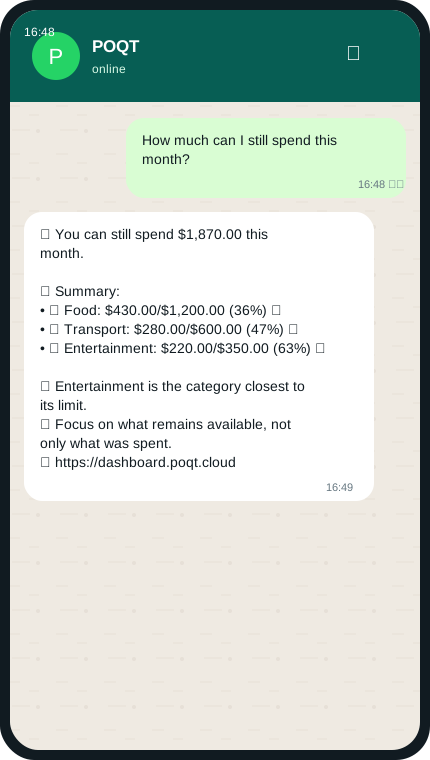
How much can I still spend this month?
Ask what remains or how budgets are doing. POQT answers with usable remaining amounts.
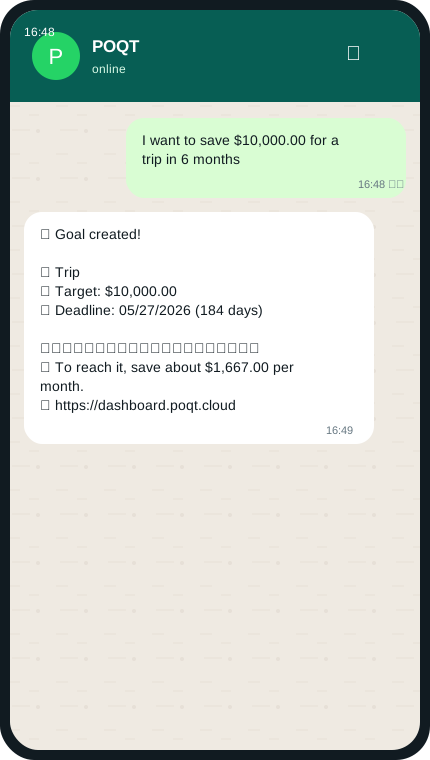
I want to save $10,000.00 for a trip in 6 months
Send goal name + target amount + deadline. Relative deadlines become real dates.
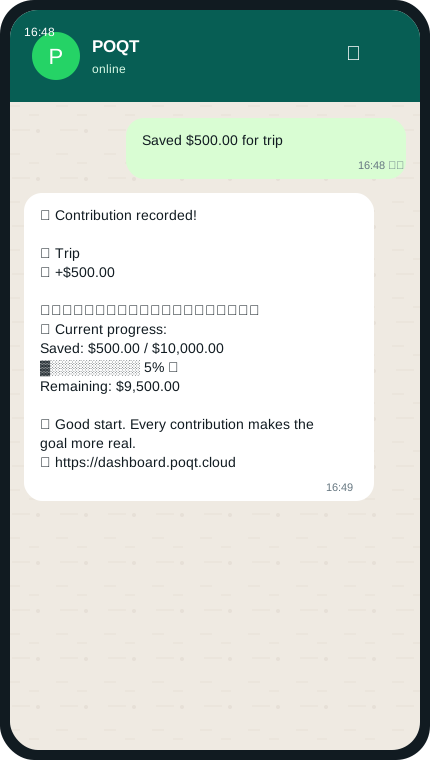
Saved $500.00 for trip
Use saved, add, or deposited with amount + goal. POQT updates progress.
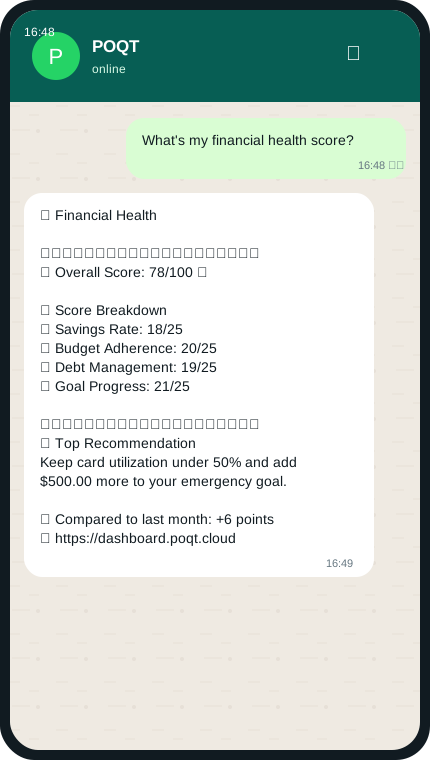
What's my financial health score?
Ask for financial health. POQT scores savings, budgets, debt, goals, and gives a top recommendation.
6 tutorials
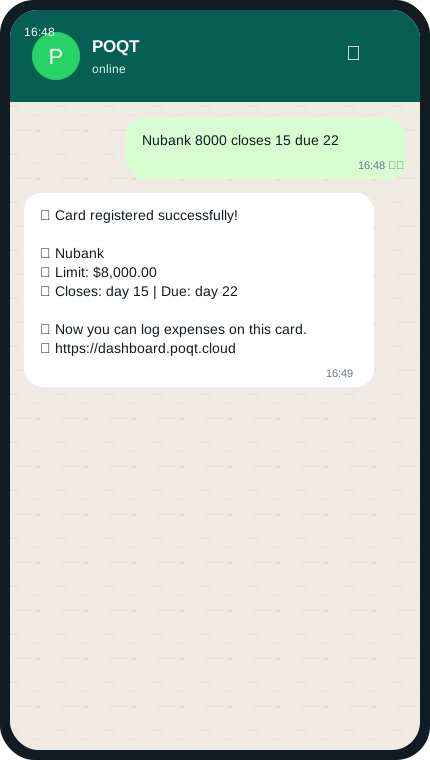
Nubank 8000 closes 15 due 22
Send name, limit, statement day, and due day in one message.
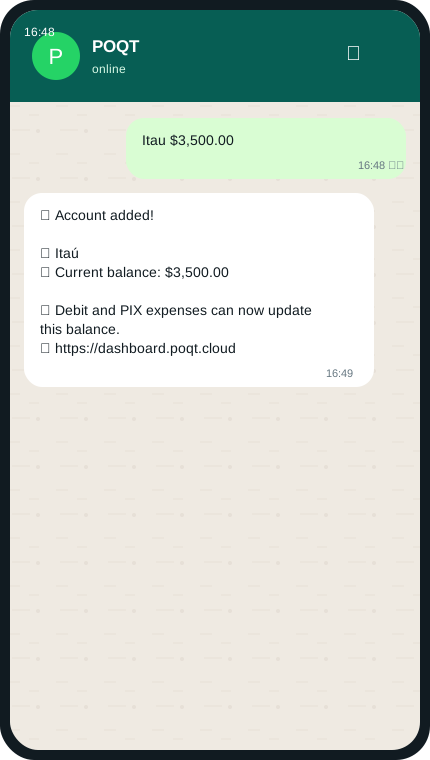
Itau $3,500.00
Send account or bank name + balance. POQT creates the account for balance tracking.
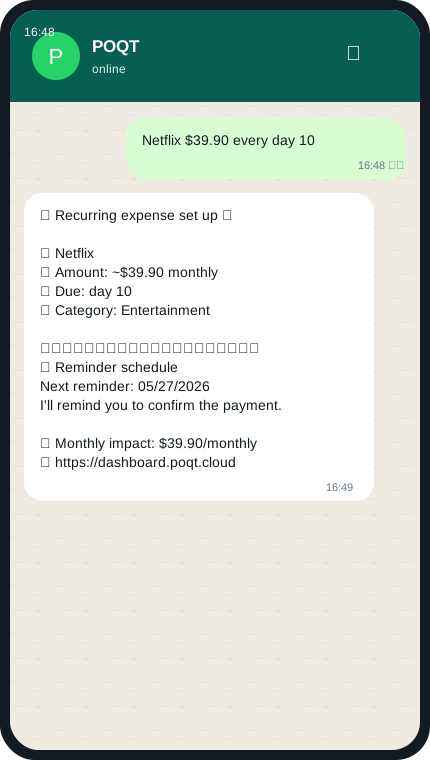
Netflix $39.90 every day 10
Send bill/subscription + amount + schedule. POQT infers category and creates reminders.
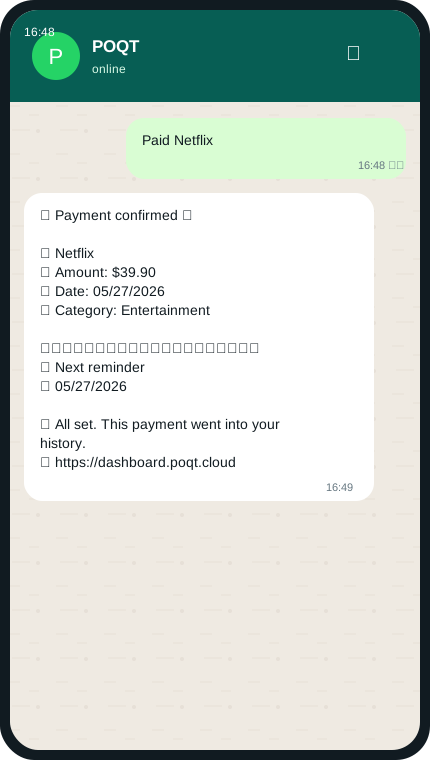
Paid Netflix
Say the bill was paid. POQT records it and schedules the next reminder.
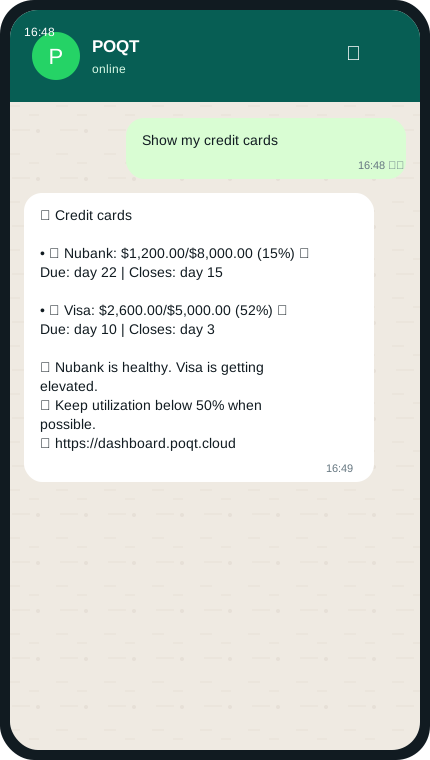
Show my credit cards
Ask to see cards. POQT shows used/limit, utilization, close date, and due date.
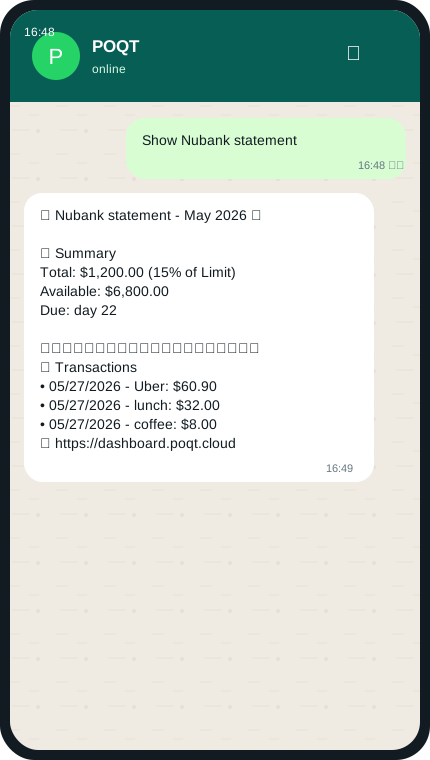
Show Nubank statement
Ask for a specific card statement. POQT shows total, available credit, due date, and recent transactions.
2 tutorials
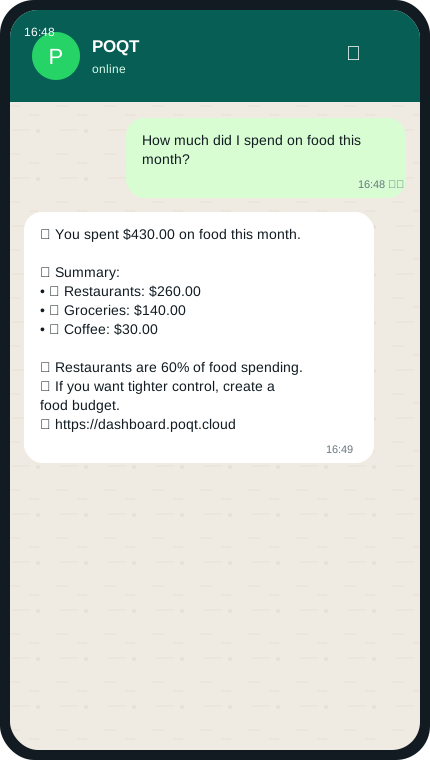
How much did I spend on food this month?
Ask totals, lists, categories, or periods. Query agent answers with insights.
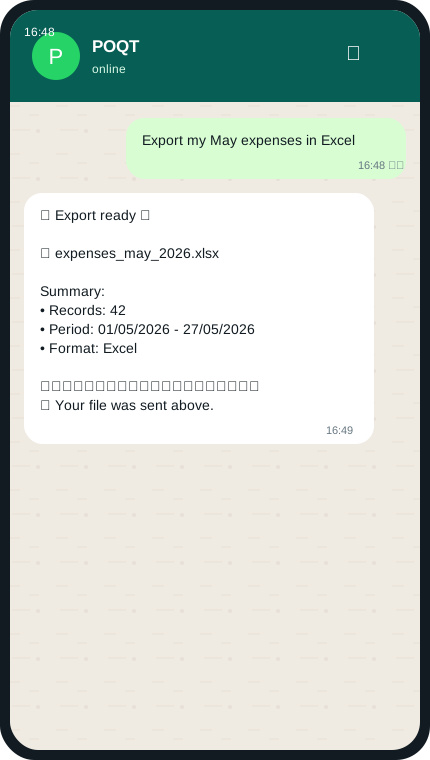
Export my May expenses in Excel
Say what data and format you want. POQT defaults to Excel if no format is given.
5 tutorials
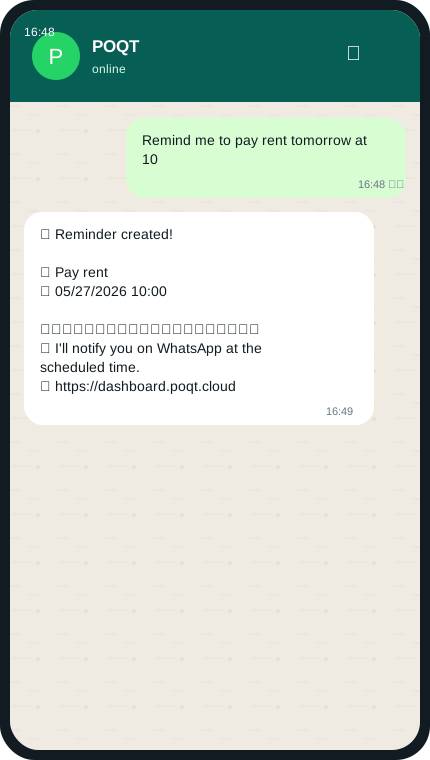
Remind me to pay rent tomorrow at 10
Send reminder title + date/time. Relative dates use the user timezone.
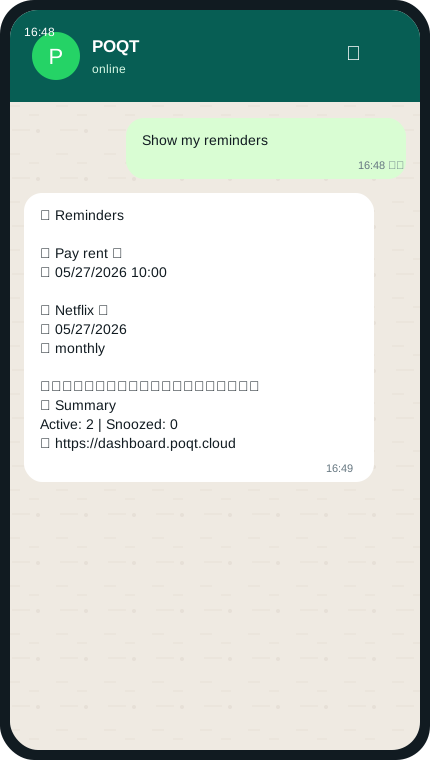
Show my reminders
Ask for reminders. POQT lists scheduled reminders and their active/snoozed status.
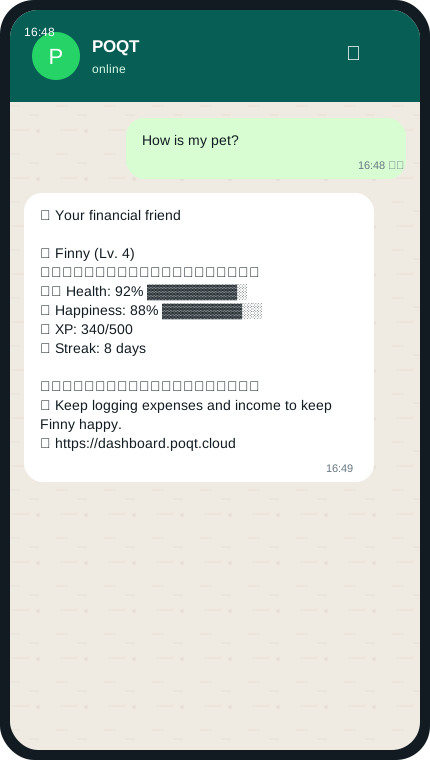
How is my pet?
Ask about pet, achievements, streak, or summary. Gamification returns status.
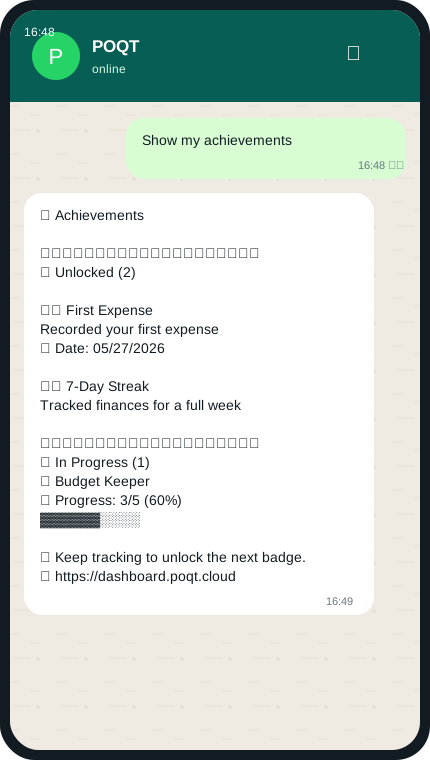
Show my achievements
Ask for achievements. POQT shows unlocked badges and progress toward locked ones.
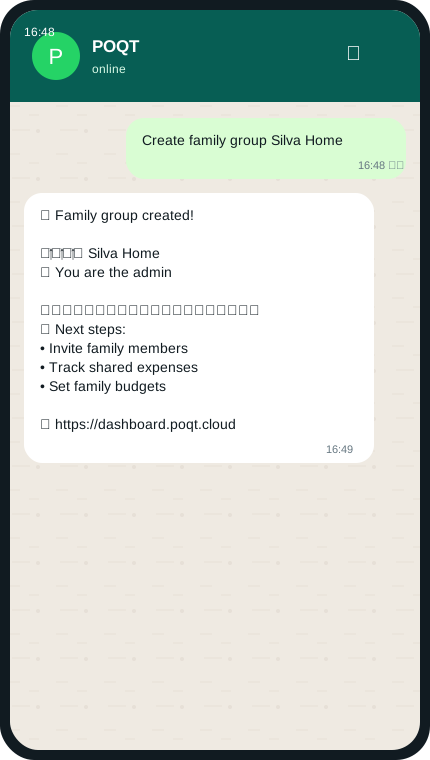
Create family group Silva Home
Send a specific group name. POQT creates the group and makes you admin.
Pick a plan, open POQT in WhatsApp, and use these examples whenever you need a shortcut.
Start with POQTPOQT
Exact WhatsApp message
I spent $53.90 on Uber today with PIX
Send amount + description. POQT infers category, subcategory, date, and payment method.